


If you have connected your ESP+ account to QuickBooks you can link customers, suppliers, and decorators in your CRM to the record in QuickBooks.
In the QuickBooks Online tab of the CRM record, click the Link to QuickBooks button.
If the record already exists in QuickBooks, it will automatically populate. If the record does not exist in QuickBooks, click into the drop-down and click Create QuickBooks Customer.
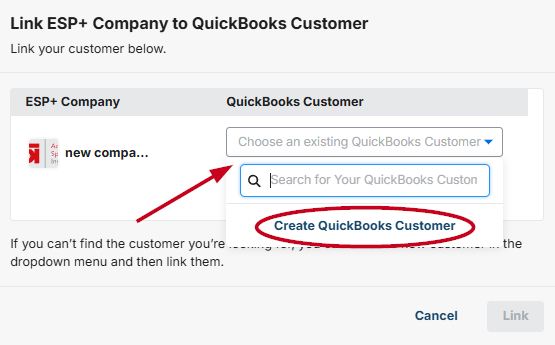
After selecting or creating the record in QuickBooks, click on the Link button. You will now be able to bills, invoices, and/or purchase orders from ESP+ to QuickBooks.