


In the Themes area you can edit:
Color
The color palette contains four colors: Primary, Secondary, Tertiary, Highlight.
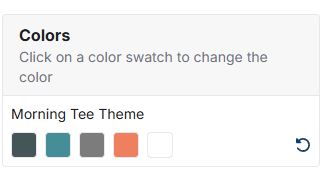
Each of these colors can be customized by clicking on the color swatch. A color selector will appear which enables you to visually select a new color. You can also enter a hex code, as well as use the arrows to switch to HSL (Hue, Saturation, Lightness) or RGB (Red, Green, Blue) values.
A preview of the site will be displayed to the right of the color palette and will update immediately with the newly selected color(s).
To revert back to the default color palette, click the round arrow icon.
Website Logo
To remove the site logo, click on the trash can icon in the top right of the logo image.
You then have the option to upload a new logo image, or select an existing image from the Asset Library.
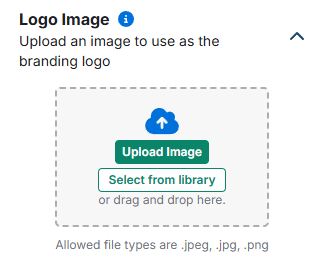
After uploading or selecting a logo, you can resize it using the sliding bar. When the height of the logo image is changed, the height of the header will also change accordingly. Square images are recommended. Image should be a minimum of 50px wide by 50px high and under 2 MB in size.
You have the option to select a destination for your logo. In the "Log Link" drop-down, you can either select to have your logo link to the website homepage, to an internal website page, or to an external page. If you select "External Page", you will need to enter the external site URL in the text box below. You can also choose whether the site should open in a new tab.
Customizable Header and Footer
Click the down arrow to display the navigations you wish the customize. Expand each one and select the elements you wish to hide or display in the header and/or footer of the website. You can also choose a layout for the header and/or footer in this area.
Template
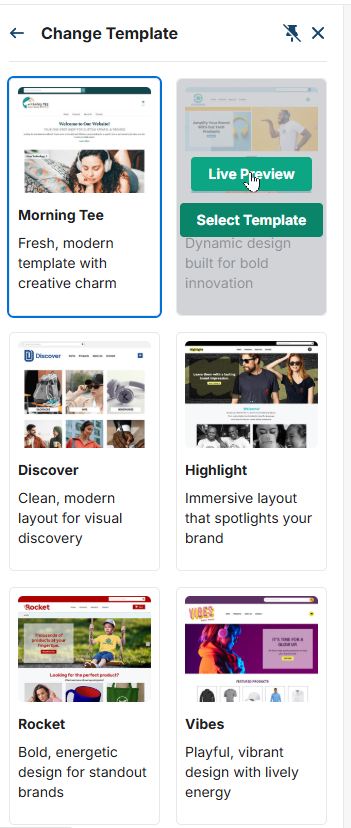
In the Template section, hover on a template and click on the "Live Preview" button to preview it in a new tab, or click on the "Select Template" button to select it for your website.
Advanced Styles
The Advanced Styles section enables you to use custom CSS (cascading style sheets) for your ESP+ website.