The Product History tab contains important customer data regarding products for the company or customer.
In the Product History section of the company record, there are three tabs:
- The Ordered tab contains all products that have been ordered for the customer.
- The Liked tab contains all products that the customer clicked the "like" button on on a presentation.
- The Disliked tab contains all products that the customer clicked the "dislike" button on on a presentation.
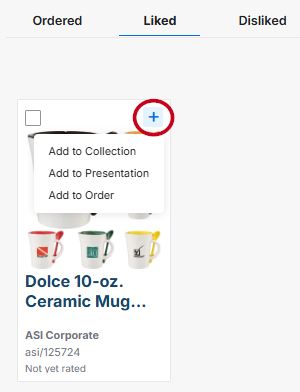
Products from any of these tabs can be added to a collection presentation, or order by clicking on the "+" icon in the top right of the product and selecting from the available options.
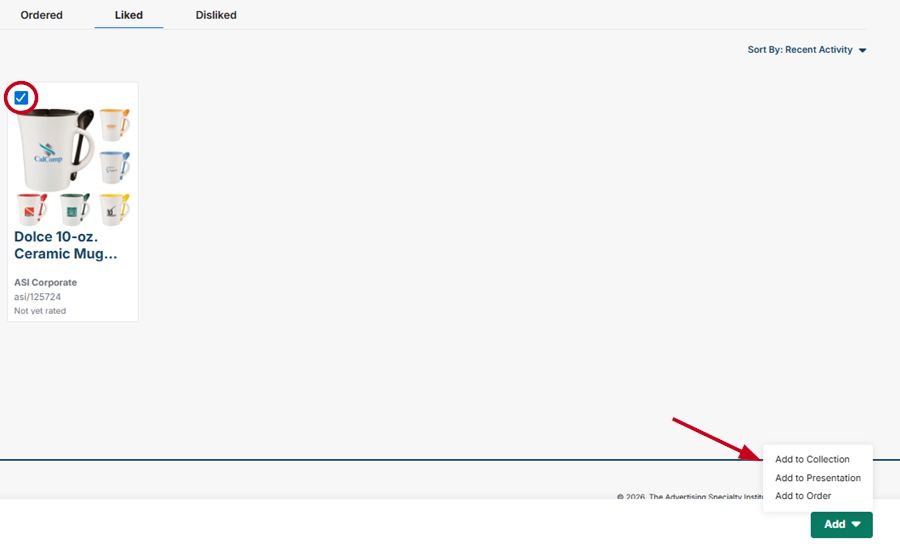
To add multiple products at once, check the boxes in the top left of each product you want to add. An "Add" button will appear at the bottom of the screen and you can select from the available options.