


The Project Management setting enables ESP+ admins to choose whether order documents must be assigned to a project during the creation process. This setting also controls what displays in the main toolbar navigation: "Orders" or "Projects".
Which option is best for me?
If you... | Project Management Should Be: | Main Toolbar Will Display: |
Want to organize and track order documents within a single location | Enabled | Projects |
Prefer to create orders quickly without assigning them to a project | Disabled | Orders |
Utilize presentations and tasks | Enabled | Projects |
Enable/Disable Project Management Option in the Settings
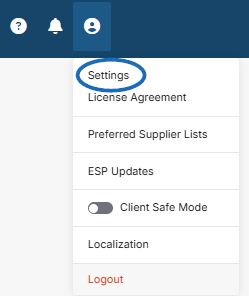
To manage this option, go to the user icon on the main toolbar and click on Settings.
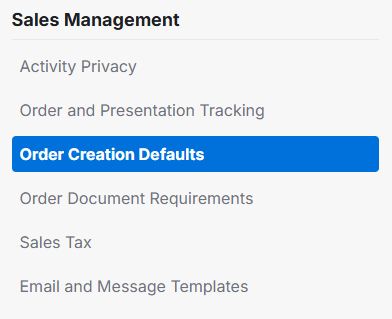
In the menu on the left, click on Order Creation Defaults in the Sales Management section.
Scroll down to the Order Permissions area and locate Project Management option. Use the slider to enable or disable the project selection/creation step when creating a new order.

Note: Even if this option is disabled, order documents can be linked to a project at any time.
Depending on how this option is configured:
- Enabled: The main toolbar displays Projects. You will be prompted to select or create a project when creating a new order document and order documents will be organized within projects.
- Disabled: The main toolbar displays Orders. You can create order documents without being prompted to assign them to a project, streamlining the order creation process.