


The Preferred Suppliers area enables you to create and apply Preferred Supplier Lists in ESP+ for your entire company. Please note, in order to be a Preferred Supplier Administrator, you will need a specific license. To obtain this license, you will need the primary contact at your organization contact the ASI Technical Product Support team via email at [email protected] or by phone at (800) 546-1350, prompt 2.
After a preferred supplier list has been created, it will be available in the All Lists section, along with any other lists created by administrators within your company. To view only lists you have created, click on the Created By Me section. Additionally, to view all lists that have been assigned to you from other preferred supplier administrators, click on the Assigned to Me section. In each section, all applicable lists will be displayed.
I want to:
Manage a List
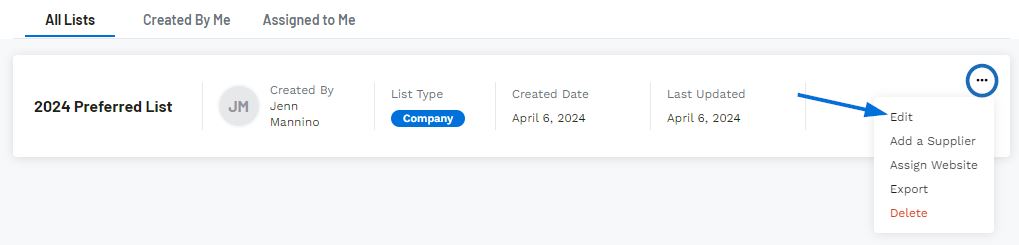
To manage a list, click on the three dot icon to the right. The Edit options enables you to update the list name and description, add and/or import suppliers for this list, rank and pricing for individual suppliers within the list, and export suppliers.
Update the List Name/Description
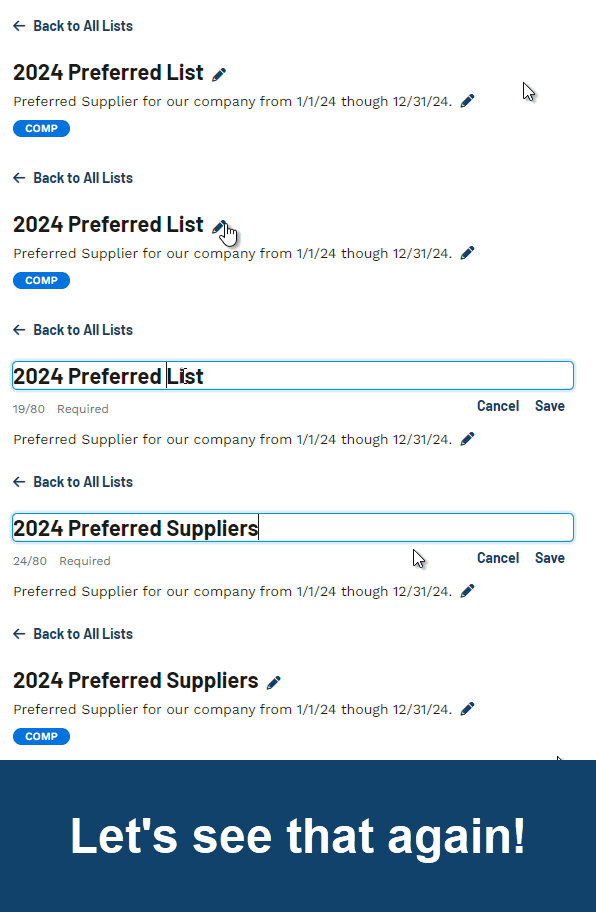
To update the list name and/or description, click on the pencil icon to the right of the field. Enter the changes you would like to make and then click on the Save option. The information will now be updated.
Delete
To permanently delete a preferred supplier list, click on the three dot icon and select Delete.
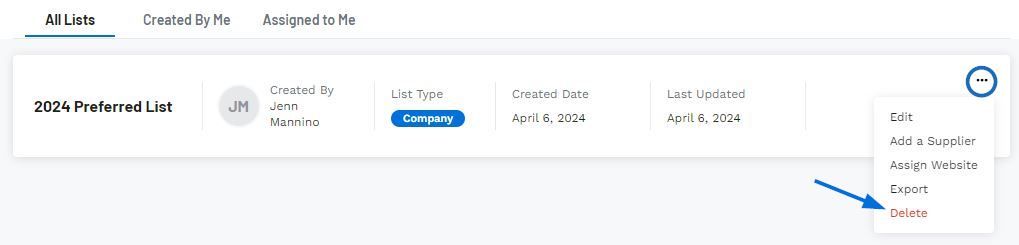
You will be prompted to ensure that you would like to delete this list, as this is a permanent action and all preferred supplier rankings and pricing information will be removed from ESP+. Confirm by clicking on Delete and the list will be removed from ESP+.