


When utilizing ESP+ Stores, a standard transaction fee of 2.9% will be applied to the customer's cart total (excluding sales tax).
This fee applies to all transactions, including credit card orders and "Invoice Me Later." If an order is canceled or modified, the fee is still based on the original cart total at the time of submission.
You can access the ESP+ Stores Transaction Report in two ways:
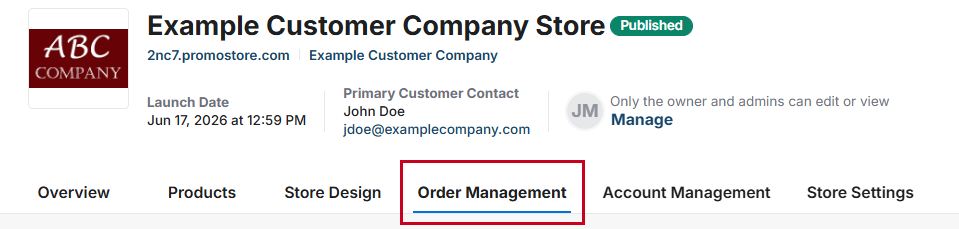
- To access the transaction report via the Order Management section of the ESP+ Store, open the store admin and click on the "Order Management" tab.
Then, from the options on the left, click on "Transaction Report" at the bottom.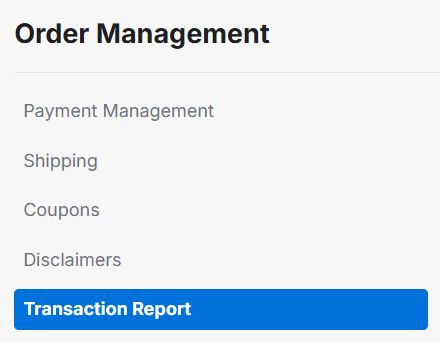
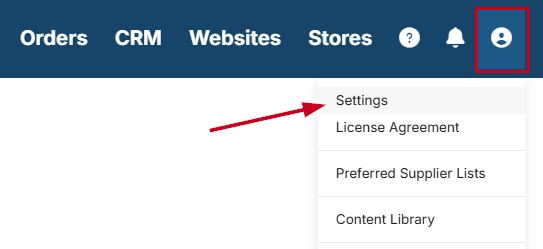
- To access the transaction report via the Settings area, click on the user icon from the main toolbar and then click on "Settings" from the menu.
Next, scroll to the "Sales Management" section and click on "Store Transaction Report" from the options on the left.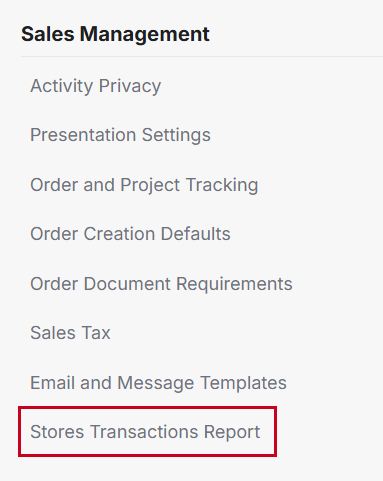
To generate a Stores Transaction Report, use the calendar icons to select start and end dates. Check the "Export all transactions" box to include all recorded store transactions in the report.
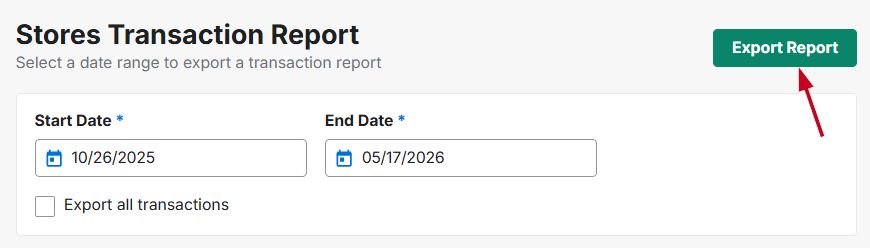
When you are ready, click on the "Export Report" button.
The report will be exported in .xlsx (Microsoft Excel) format. You are able to save the report to your computer and analyze the data as needed.
Common Questions About Transaction Fees
- What if I place a test order?
Transaction fees apply to all orders, including test orders placed through the store. - What if my customer places an order via my ESP+ Store and then cancels their order?
If the initial order was placed through the store, the transaction fee will be applied. - When did transaction fees go into effect?
Transaction fees have applied to ESP+ Stores since 2024.