


Linking to a product search allows you to create a navigation button linked to a customized saved search.
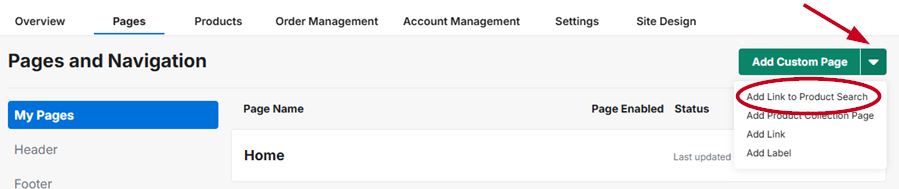
To add a saved search, first click the down arrow next to "Add Custom Page" and then click "Add Link to Product Search"
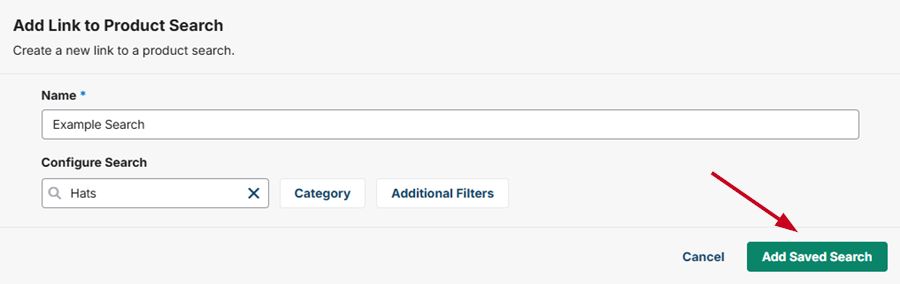
Enter the name of the search. This is the page name that will be displayed in the menu of your website. Then, enter your search keyword, category, and any additional filters for your search. When you are done, click on "Add Saved Search"
Make sure to click on "Publish Site" to make the page live on the website. The page will be added to the header of your website.