


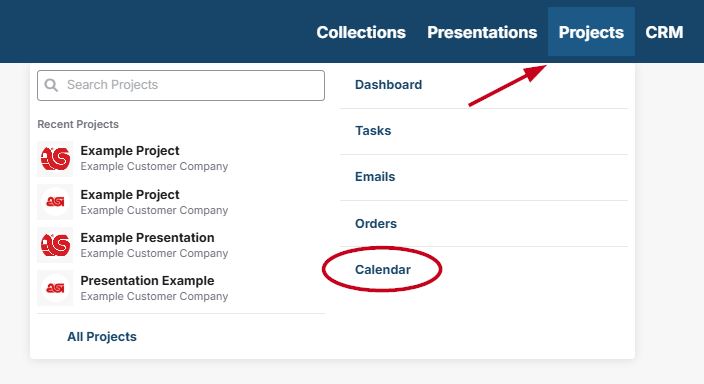
The calendar allows you to manage tasks and appointments in ESP+. To access the calendar, click on "Projects" from the main toolbar then click on "Calendar".
I want to create:
Tasks
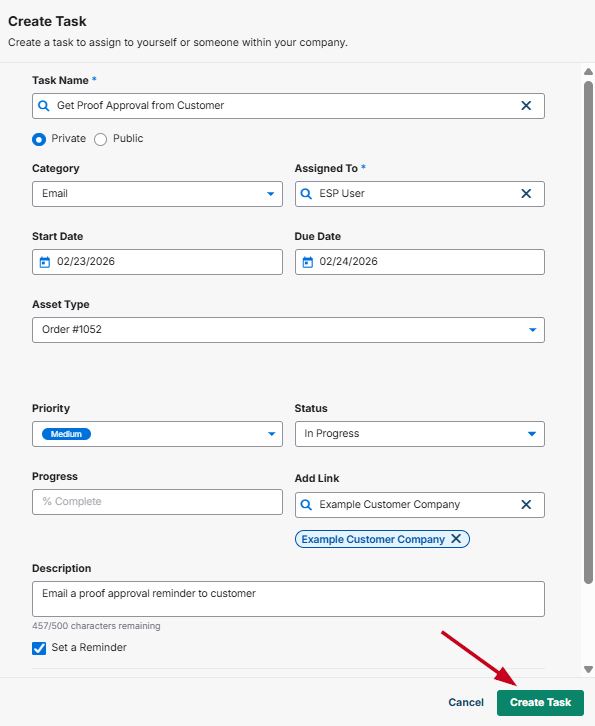
The Tasks enable you to manage the daily tasks for your business. In the Create Task window, enter the task name. You can use the additional fields to enter more descriptive information about this task. You can use the drop down to select a category, such as email, meeting, phone call, etc.
You also have the option to assign the task to an individual or team within your company.
You can also link the task to a company and/or contact in the CRM.
Appointments
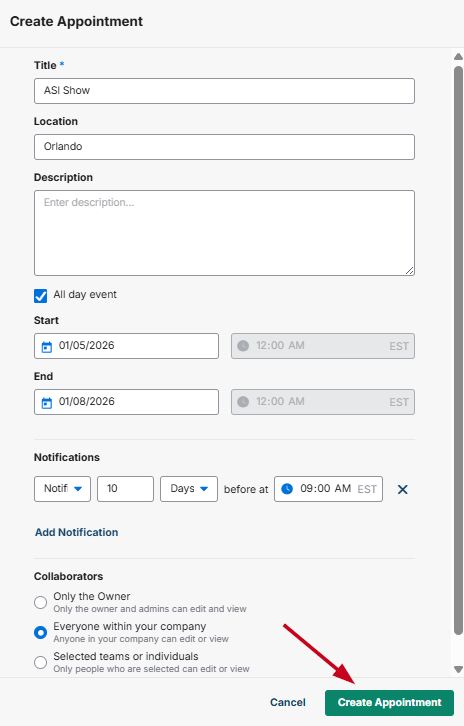
The title for the appointment is required. You can also enter a location, which is where the appointment will be held. Use the calendar icon to select a date for the start time and then use the dropdown to select a time. If the appointment is an all day event, check the box. To set an end time, use the appropriate calendar icon and dropdown.
Tasks and appointments will appear on the celandar page.